Logitech’s MX Master 3S, Now That the MX Master 4 Exists
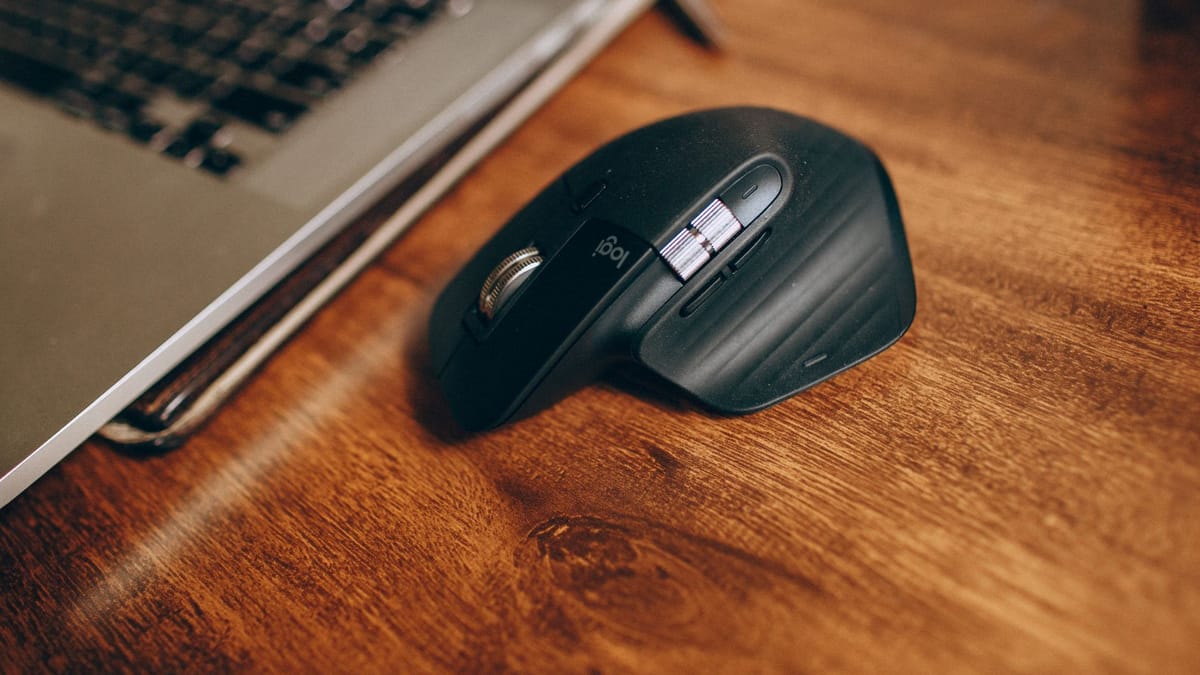
Logitech shipped the MX Master 4 in October 2025 at 120 US dollars, complete with haptic feedback in the thumb rest and a customisable Actions Ring overlay. That should have relegated the MX Master 3S to the clearance bin. Instead Logitech kept it on sale, currently listed at 84.99 US dollars against a 99.99 list price, and the gap between the two mice turns out to be narrower than the generational jump implies. The question for 2026 is no longer whether the 3S is good, but whether the newer model’s additions are worth a third again as much.
Everything the fourth generation added, and everything it did not
Engadget’s coverage of the launch itemised the changes, and the list is notable for what stayed put. The sensor, the click mechanism and the battery rating carried over unaltered.
- Haptic feedback in the thumb rest, with adjustable intensity
- The Actions Ring, an on-screen overlay of application-specific shortcuts
- A textured plastic top surface replacing the rubberised finish
- Slightly larger dimensions and a weight increase from 141g to 150g
- A USB-C receiver on the Windows model, replacing USB-A
- Unchanged: the 8,000 DPI sensor, the quiet clicks, the 70-day battery rating and three-device pairing
Silent switches were the real generational leap, and they happened in 2022
Logitech’s own specification for the 3S claims 90% less click noise than the MX Master 3 it replaced. That figure is a manufacturer measurement rather than an independent one, and the perceived reduction depends heavily on the room, but the change in acoustic character is not subtle. The switches produce a muted thunk rather than a click, which reads as cheap for the first hour and then becomes the reason people refuse to go back.
This matters to the comparison because the MX Master 4 inherited those switches unchanged. Anyone buying the newer mouse specifically for quiet operation is paying extra for a feature that shipped three years earlier.
The sensor tells a similar story. Logitech describes the 8,000 DPI unit as its most accurate ever and rates it to track on glass at least 4mm thick, which is a real convenience on a glass desk and irrelevant everywhere else. For office work the resolution ceiling is meaningless, since almost nobody runs a productivity mouse above 3,000 DPI. It is a specification that exists to be printed rather than used.
MagSpeed, and the 1,000-lines-per-second claim
The electromagnetic scroll wheel is rated by Logitech at 1,000 lines per second in free-spin mode, and it shifts between ratcheted and free-spinning states based on how hard it is flicked. In long documents and code files the behaviour is genuinely useful. In short web pages it is an expensive solution to a problem that did not exist, and the automatic mode switching occasionally decides to free-spin when a controlled two-line nudge was wanted.
The horizontal thumb wheel is the more consistently valuable control, particularly in timeline editors and wide spreadsheets, though it sits close enough to the thumb rest that accidental inputs are common in the first week.
Battery endurance is rated at 70 days on a full charge, and Logitech quotes three hours of use from a one-minute top-up over USB-C. Charging while working is possible, which removes the failure mode that afflicted earlier rechargeable mice. Independent verification of the 70-day figure is scarce because the test takes over two months to run, so it should be treated as a manufacturer claim, but reports of the mouse dying unexpectedly are rare enough to suggest it is not wildly optimistic.
The complaints that have never been fixed
The 3S remains a large, right-handed-only mouse at 141g, and Logitech has never produced a left-handed variant of any MX Master. Smaller hands tend to find the thumb rest forces an awkward grip rather than supporting one. The rubberised coating on the flanks is a known long-term failure point across the MX line, degrading into tackiness after a few years of skin contact and heat, which is precisely why Logitech moved to textured plastic on the fourth generation.
The software is the other recurring frustration. Logi Options+ is required for per-application button mapping and for the smooth-scrolling behaviour that makes the wheel worthwhile, and it runs as a persistent background service that some users resent on principle. Without it, the mouse works, but a good deal of what justifies the price does not.
Connectivity is the other place where the design shows its age in a specific way. The 3S pairs over Bluetooth Low Energy or Logitech’s Bolt receiver, and Bolt is not compatible with the older Unifying receivers that many long-term Logitech users still have plugged into a desktop. Anyone consolidating a keyboard and mouse onto one dongle needs both devices on the same standard, which is easy to get wrong when buying peripherals bought years apart.
Where that leaves the buying decision
The honest position is that the 3S is now the sensible purchase for most people and the MX Master 4 is the purchase for those who specifically want haptics and the Actions Ring. Haptic feedback in a mouse is a genuinely novel idea, but it is also the sort of feature that a proportion of owners turn off within a month. Neither the tracking, the switch feel nor the battery endurance improved.
Prices move constantly on both, and the 3S in particular has been discounted well below its 84.99 US dollar listing during sale periods. At that kind of gap, the older mouse is not a compromise so much as the same mouse without a vibration motor.
One practical note for anyone shopping second-hand or from clearance stock: the MX Master 3 and the MX Master 3S look identical and are frequently confused in listings. The 3S is the one with the quiet switches and the 8,000 DPI sensor, and it is the only one of the two worth buying at anything near current prices.
Sources: Logitech product page, MX Master 3S · Engadget, Logitech MX Master 4 announcement · Logitech blog, the design of the MX Master 4 · MacRumors, Logitech MX Master 4 with haptic feedback